
In today’s digital-first world, your professional portrait is often your first handshake with the world. Whether it’s on LinkedIn, a company website, or a conference brochure, a high-quality headshot builds credibility, conveys personality, and establishes trust. But what if you could reimagine that single photo into a gallery of striking, genre-defining images without expensive reshoots? This is the revolutionary power of Gemini Prompts for Portraits Image conversion, a technology that is redefining personal branding and creative expression.
What is AI Professional Portrait Conversion?
AI portrait conversion utilises advanced artificial intelligence, specifically a branch known as generative AI and deep learning models, to analyse and transform your source photograph. By understanding facial geometry, lighting, texture, and composition, the AI can reinterpret your image into countless new artistic styles and scenarios. It’s not merely a filter; it’s a sophisticated digital recreation that maintains your core likeness while altering everything from the environment and attire to the artistic medium and mood. This process leverages neural networks trained on vast image datasets to achieve stunningly realistic or creatively stylised results.
Beyond the Studio: Unleashing Creative Potential
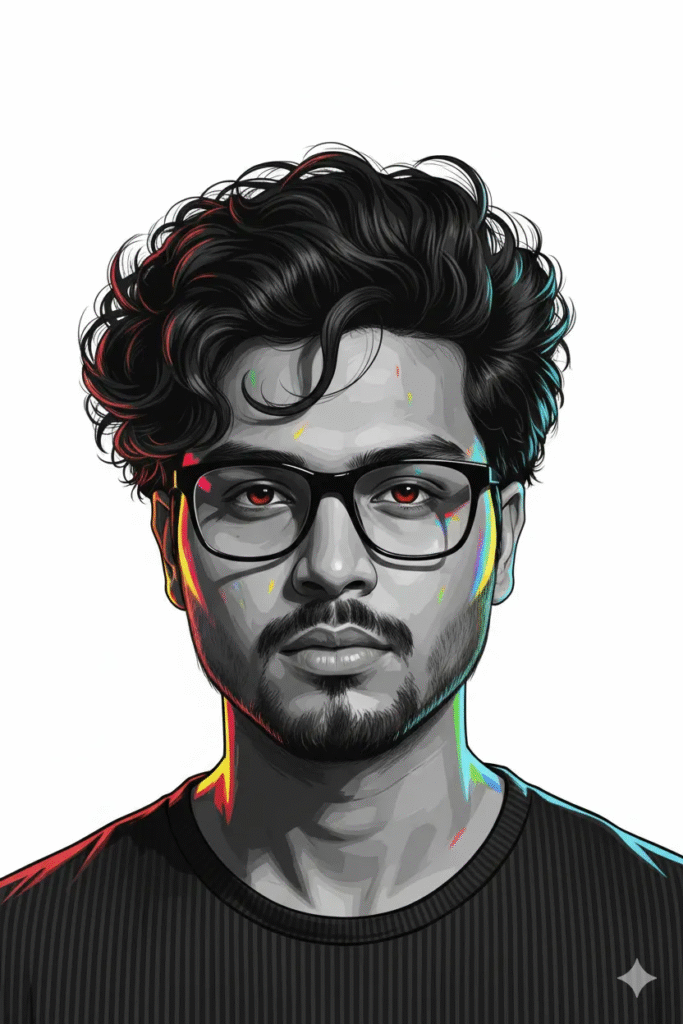
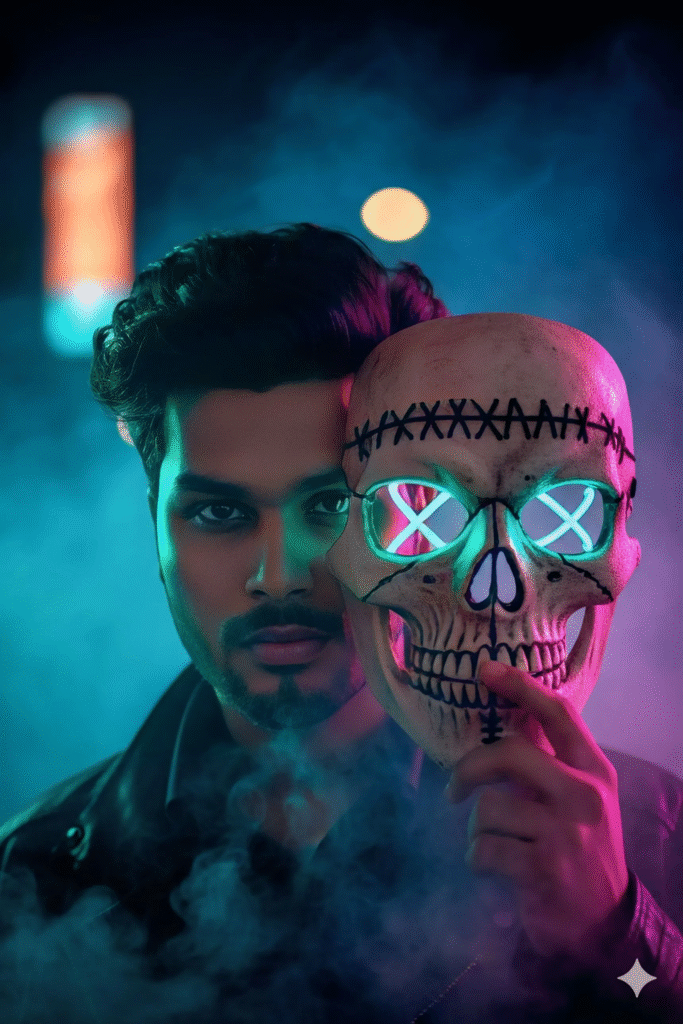
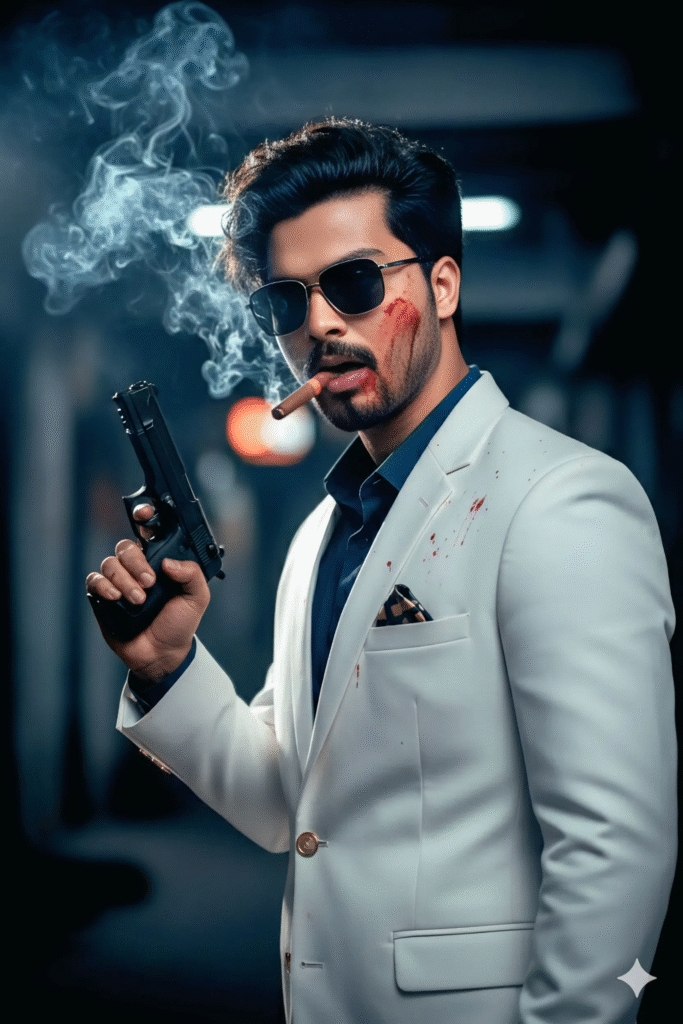
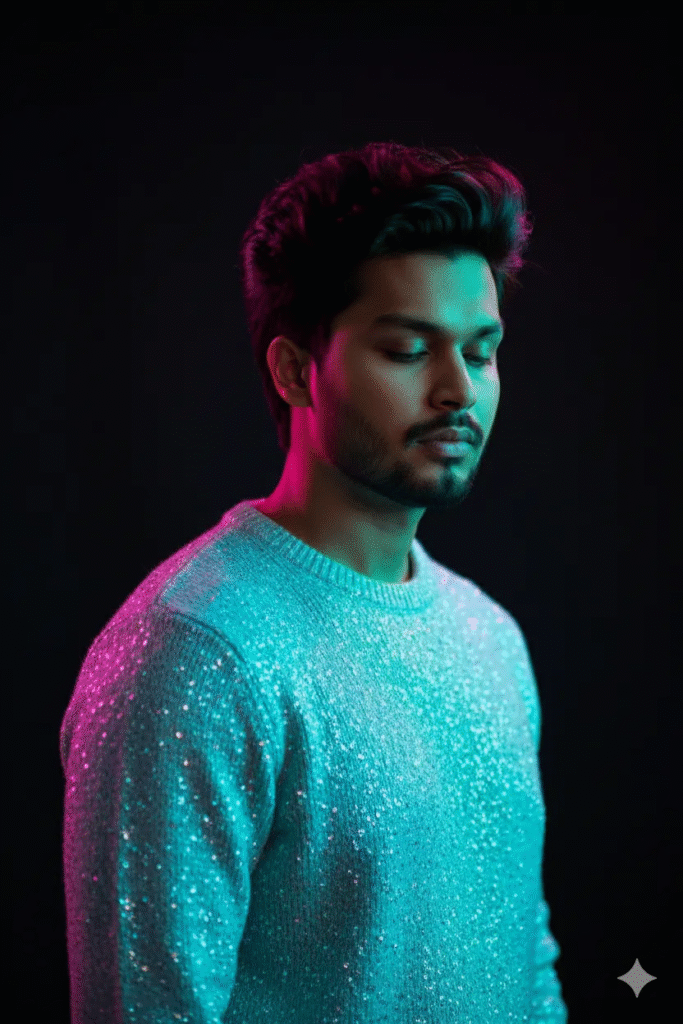
The applications extend far beyond a simple background change. Imagine converting your standard corporate headshot into a cinematic portrait with dramatic neo-noir lighting, or placing yourself in a hyper-realistic digital illustration with a moody neon atmosphere. You can experiment with styles like a grayscale base with dynamic contrast, a character in a gritty gangster-film vibe, or a subject bathed in teal and magenta rim lighting. The technology allows for exploration of conceptual portraits, character design, and fantasy art, all from one professional source image, saving significant time and resources on custom photoshoots.
Key Benefits for Professionals and Creatives
- Enhanced Personal Branding: Craft a cohesive yet diverse visual identity across platforms. Showcase versatility with a studio-style portrait, a thoughtful close-up, and a dynamic action shot, all derived from one photo.
- Cost and Time Efficiency: Eliminate the need for multiple photo sessions for different campaigns, roles, or creative projects. Get a full suite of high-resolution, 8K quality images from a single investment.
- Creative Freedom and Exploration: Test drive bold looks—like a styled gangster aesthetic or a sparkling knit sweater in neon-drenched lighting—without physical production. It’s a powerful tool for visual storytelling and mood boarding.
- Consistency and Accessibility: Ensure your professional image remains consistent in quality and likeness, even when adapting to different media requirements. It makes professional-grade imaging accessible.
How to Get the Best Results from AI Portrait Generation
To achieve the most authentic and high-fidelity conversions, the source image is crucial. Start with a high-resolution, professional portrait photo taken in good, clear lighting. A clean background, neutral expression, and sharp focus on facial features provide the AI with the best data. When crafting your transformation prompt, be highly descriptive. Use keywords related to composition (close-up, headshot, over-the-shoulder shot), lighting (rim lighting, neon backlighting, moody, dramatic), aesthetic (hyper-realistic, cinematic, ultra-realistic), and details like attire, background, and atmosphere.
The Future of Digital Identity
AI portrait conversion sits at the intersection of photography innovation, digital art creation, and personal branding technology. It democratizes access to elite visual content and empowers individuals to take full control of their digital persona. As generative AI models become more sophisticated, we can expect even greater levels of personalisation, realism, and creative collaboration between human intention and machine execution.
Ready to redefine your professional image? Explore the limitless possibilities and convert your existing headshot into a gallery of compelling, authoritative, and engaging portraits that tell your unique story.
Stylish Close-Up: Voluminous Curls and Black Frames on White
How do I use my prompt when I upload an image?
Go to the Gemini AI interface.
Upload an image
Click the upload button (paperclip or image icon) and choose the photo you want to use.
Enter your prompt
Stylish Prompt Card
Paste your AI prompt below. Copy in one click!
Neon Masked Portrait: Stitched Skull, Teal-Magenta Lights in Smoke
How do I use my prompt when I upload an image?
Open Gemini
Go to the Gemini AI interface.
Upload an image
Click the upload button (paperclip or image icon) and choose the photo you want to use.
Enter your prompt
Stylish Prompt Card
Paste your AI prompt below. Copy in one click!
Gucci Suit & Smoke: Styled Gangster with Pistol and Blood Spatter
How do I use my prompt when I upload an image?
Open Gemini
Go to the Gemini AI interface.
Upload an image
Click the upload button (paperclip or image icon) and choose the photo you want to use.
Enter your prompt
Stylish Prompt Card
Paste your AI prompt below. Copy in one click!
Neon-Drenched Portrait: Sparkling Blue Sweater, Cyan and Magenta Light
How do I use my prompt when I upload an image?
Open Gemini
Go to the Gemini AI interface.
Upload an image
Click the upload button (paperclip or image icon) and choose the photo you want to use.
Enter your prompt
Stylish Prompt Card
Paste your AI prompt below. Copy in one click!
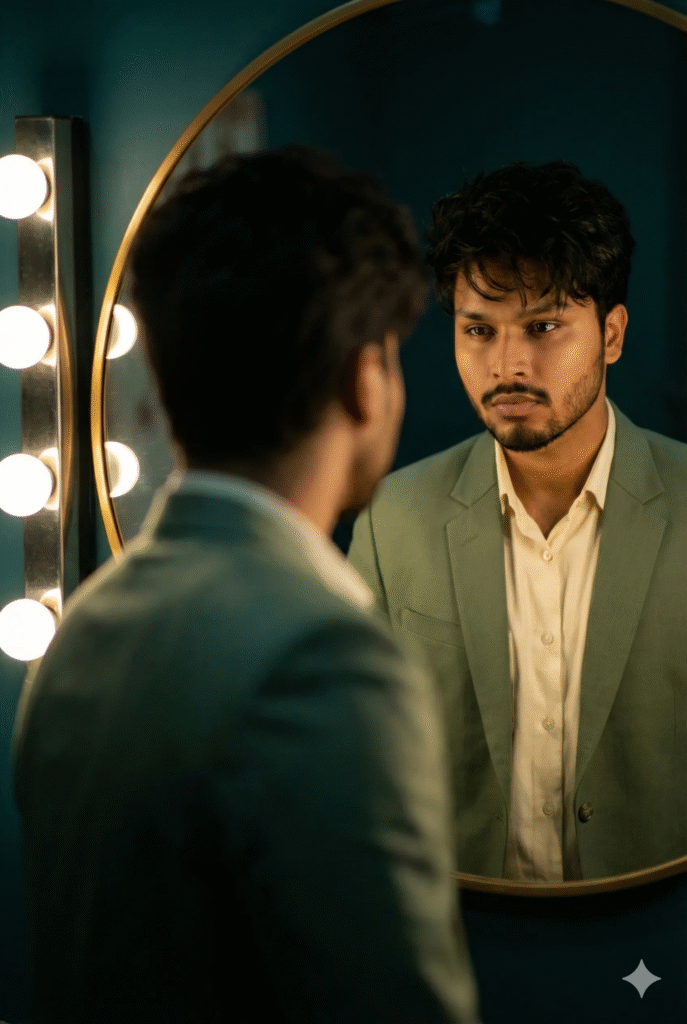
Mirror Reflection in Sage Suit Lit by Vanity Bulbs, Moody
How do I use my prompt when I upload an image?
Open Gemini
Go to the Gemini AI interface.
Upload an image
Click the upload button (paperclip or image icon) and choose the photo you want to use.
Enter your prompt
Stylish Prompt Card
Paste your AI prompt below. Copy in one click!
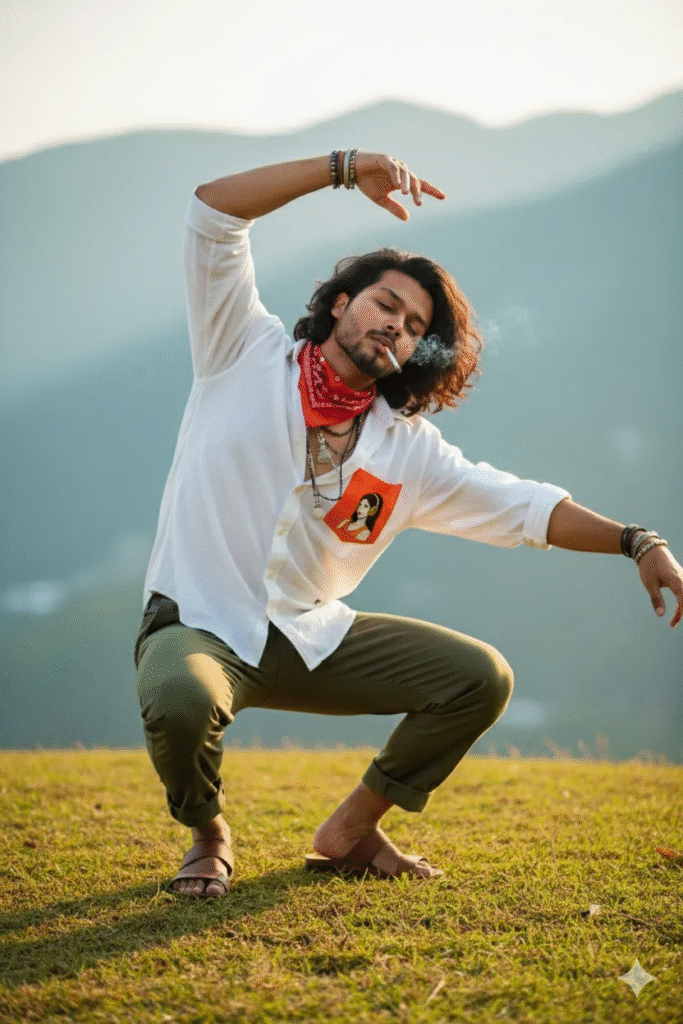
Dancer on the Hill: Cigarette, White Shirt, Sunlit Wavy Hair & Teal Mountains
How do I use my prompt when I upload an image?
Open Gemini
Go to the Gemini AI interface.
Upload an image
Click the upload button (paperclip or image icon) and choose the photo you want to use.
Enter your prompt
Stylish Prompt Card
Paste your AI prompt below. Copy in one click!
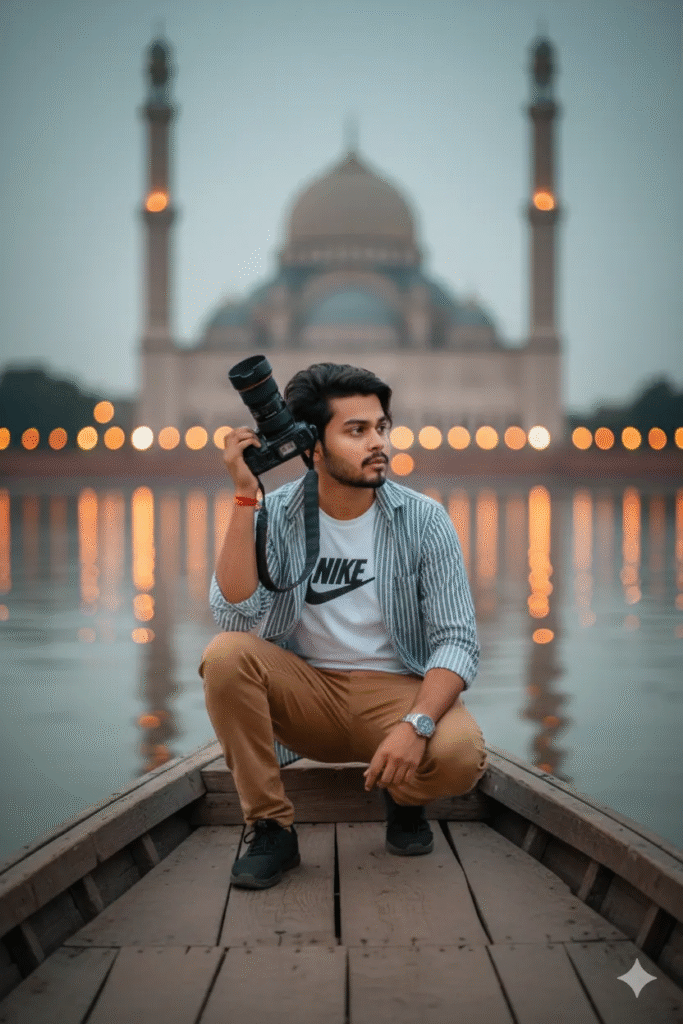
Boating Photographer at Dusk with Mosque and Bokeh Lights
How do I use my prompt when I upload an image?
Open Gemini
Go to the Gemini AI interface.
Upload an image
Click the upload button (paperclip or image icon) and choose the photo you want to use.
Enter your prompt
Stylish Prompt Card
Paste your AI prompt below. Copy in one click!
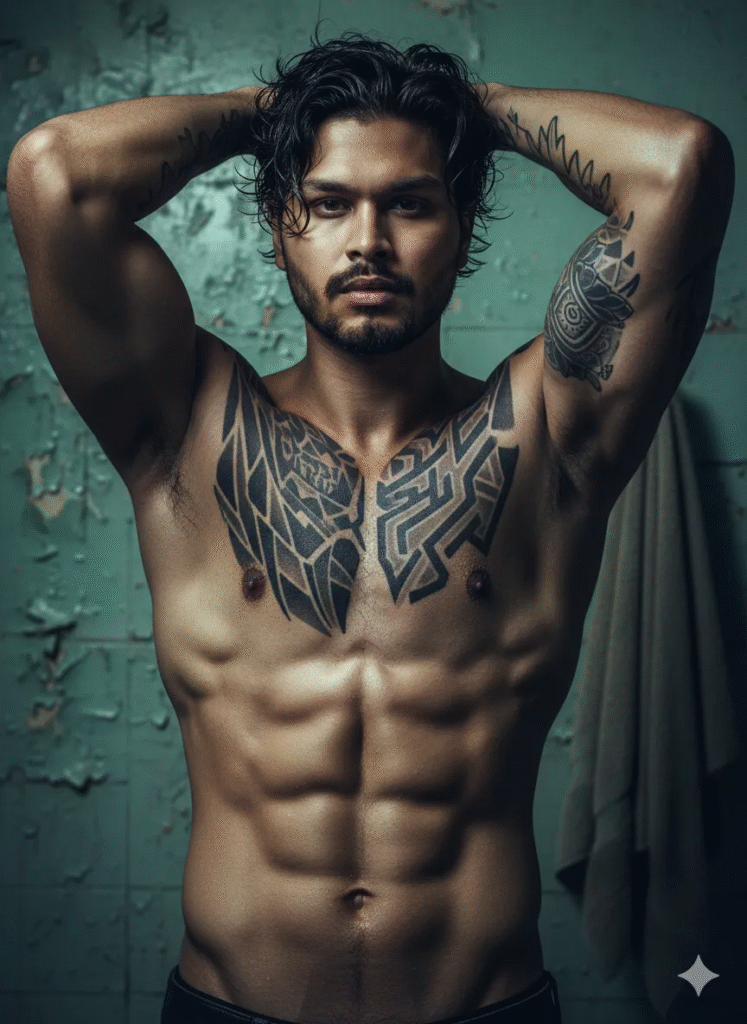
Defined Athlete in Worn Bathroom: Wet Hair, Tattoos, Peeling Walls
How do I use my prompt when I upload an image?
Open Gemini
Go to the Gemini AI interface.
Upload an image
Click the upload button (paperclip or image icon) and choose the photo you want to use.
Enter your prompt
Stylish Prompt Card
Paste your AI prompt below. Copy in one click!

👤 M Arslan – Founder of Perfact AI and a university student from Pakistan. Passionate about Artificial Intelligence, I share free AI prompts to help people create stunning images and explore digital creativity. My goal is to make AI simple, accessible, and fun for everyone.